
About Left Shift
Welcome to "Left Shift". Guided practice: Left Shift.
- Level
- Capital Letters
- Difficulty
- intermediate
- Time
- 12 min
- To pass
- 20 WPM · 95%
Why this lesson matters
Solid fundamentals reduce fatigue, prevent repetitive strain, and unlock higher sustained WPM with fewer errors.
How to practise this lesson
Practice left shift using only the keys you have learned. Keep wrists straight, fingers curved, and return to the home row after each reach.
New keys introduced: shiftleft
Keys used in this lesson: a, s, d, f, g, h, j, k, l, ;, , q, w, e, r, t, y, u, i, o, p, [, ], \, z, x, c, v, b, n, m, ,, ., /, shiftleft, shiftright
Finger placement
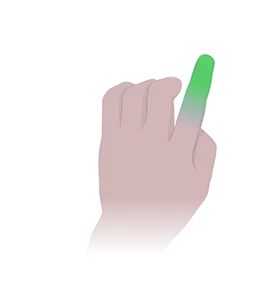
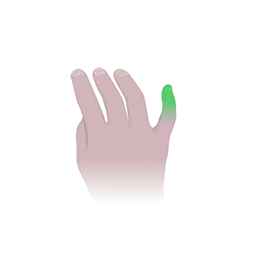
Rest index fingers on F and J (bumps). Other fingers curve over the home row. Move only the finger responsible for each key.
Posture and setup
Screen top at eye level, elbows ~90°, feet flat, keyboard centered with body. Take micro-breaks every 20 minutes.
What you will type
Character drill: shiftleft
Word drill: The Type Time Fast Queen
Sentence drill: The Type Time Fast Queen The Type Time
Common mistakes
- Looking at the keyboard instead of the screen.
- Pressing keys with the wrong finger.
- Holding tension in shoulders or wrists.
Pro tips
- Rhythm matters more than raw speed—keep an even pace.
- Accuracy first; speed follows naturally.
- If you plateau, slow down 10% and focus on zero hesitation.
Accessibility notes
Use Tab to reach controls. Screen reader users: enable reduced motion in OS settings for calmer animations. Increase browser zoom if needed.
Frequently asked questions
- How long should I practice Left Shift?
- Aim for 10–20 minutes per session, daily if possible. Short focused sessions build muscle memory faster than rare long marathons.
- Can kids use this lesson?
- Yes. TypingOwl lessons are suitable for kids and adults. Younger learners may want a slightly slower target WPM.
- Do I need an account?
- No database is required—your progress is saved in this browser. Clearing site data will reset local progress.